Advertiser & Editorial Disclosure: The Bulkhead Seat earns an affiliate commission for anyone approved through the links below. This compensation may impact how and where links appear on this site. We work to provide the best publicly available offers to our readers. We frequently update them, but this site does not include all available offers. Opinions, reviews, analyses & recommendations are the author’s alone, and have not been reviewed, endorsed, or approved by any of these entities.
This weekend, I wrote about the extreme waits that travelers were facing at airports across the United States. As the government shutdown continues, travelers may want to check airport security wait times before leaving home to avoid spending unnecessary hours standing in line. Fortunately, there are several tools available that allow passengers to get a better sense of how crowded security checkpoints are before arriving at the airport.
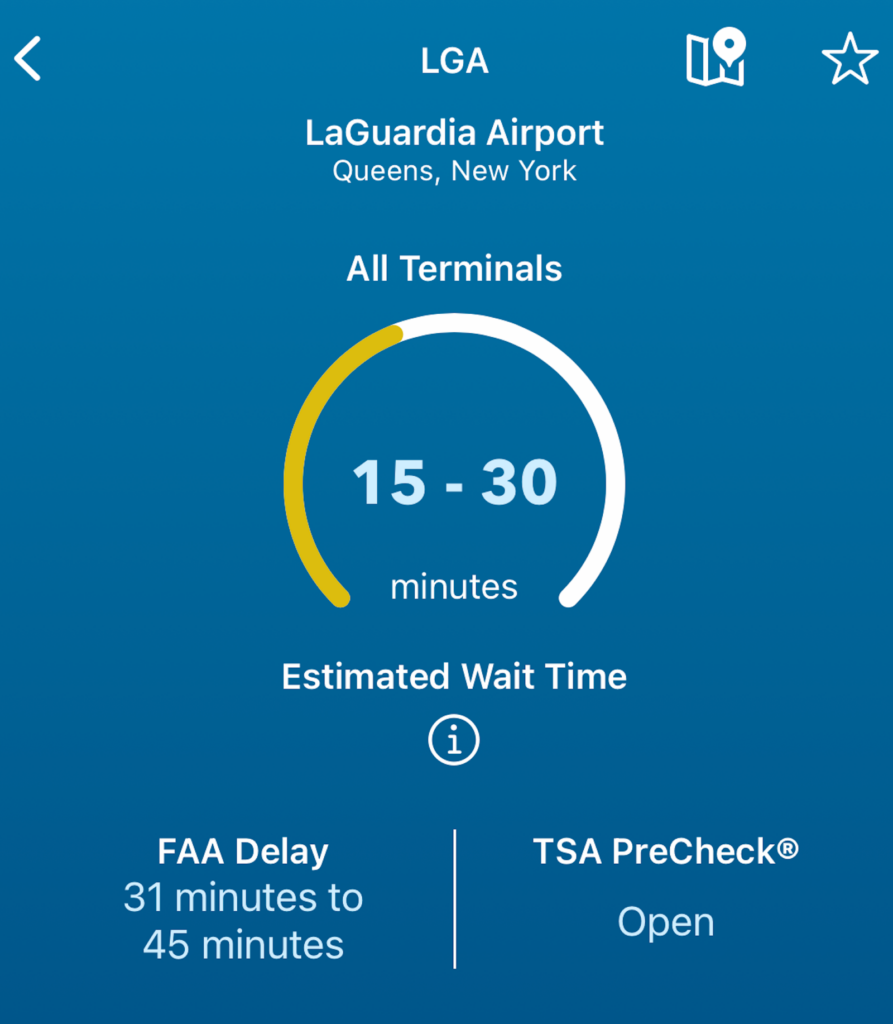
One of the easiest ways to monitor security lines is through the official MyTSA mobile app, which provides estimated wait times for airports across the United States. The app is available in both the iTunes and Google Play app stores. After downloading it, travelers can navigate to the My Airports section located at the bottom of the homepage. From there, selecting the Search Airports option allows users to quickly find their departure airport. Once an airport is selected, the app displays estimated security wait times based on data collected from multiple checkpoints. These estimates are typically shown in 15-minute intervals to give travelers a general idea of how long it may take to pass through security.
The wait times displayed represent an average across all checkpoints at the airport, which means some lines may move faster or slower depending on the specific screening area. They also do not account for TSA PreCheck® and CLEAR+.
The MyTSA app also includes a graph showing typical wait times throughout the day and across different days of the week. This historical data can help travelers determine when security checkpoints tend to be busiest. However, because these estimates are based on past trends rather than real-time conditions, they may not always accurately reflect current situations during unusually busy travel periods or operational disruptions.
Another useful option is to visit the official website of the airport where you are departing. Many airports publish live or near-real-time security wait times online. Unlike the MyTSA app, which averages wait times across an airport, some airport websites break down wait times by individual checkpoint. This can help travelers decide which security entrance might have the shortest line.
Anthony’s Take: By checking these resources before heading to the airport, travelers can better plan their arrival time and potentially avoid long waits in security lines. During peak travel periods or operational disruptions, using tools like the MyTSA app and airport websites can help passengers make more informed decisions and reduce time spent waiting at security checkpoints.
(Image Credits: TSA.)
User Generated Content Disclosure: The Bulkhead Seat encourages constructive discussions, comments, and questions. Responses are not provided by or commissioned by any bank advertisers. These responses have not been reviewed, approved, or endorsed by the bank advertiser. It is not the responsibility of the bank advertiser to respond to comments.
Advertiser & Editorial Disclosure: The Bulkhead Seat earns an affiliate commission for anyone approved through the links above This compensation may impact how and where links appear on this site. We work to provide the best publicly available offers to our readers. We frequently update them, but this site does not include all available offers. Opinions, reviews, analyses & recommendations are the author’s alone, and have not been reviewed, endorsed, or approved by any of these entities.